


Quick Guide on How to Receive Your Order
Auto Delivery
After Purchase, simply check your email to get your Order.
You can also find all order details in your account under Orders – unicom
For community chat and any questions, feel free to join our Discord https://discord.gg/u-community
Manual Delivery
To receive an order that requires manual delivery, please follow this simple guide.
Step 1: Join our discord channel https://discord.gg/u-community
Step 2: Follow the instructions in the screenshots.
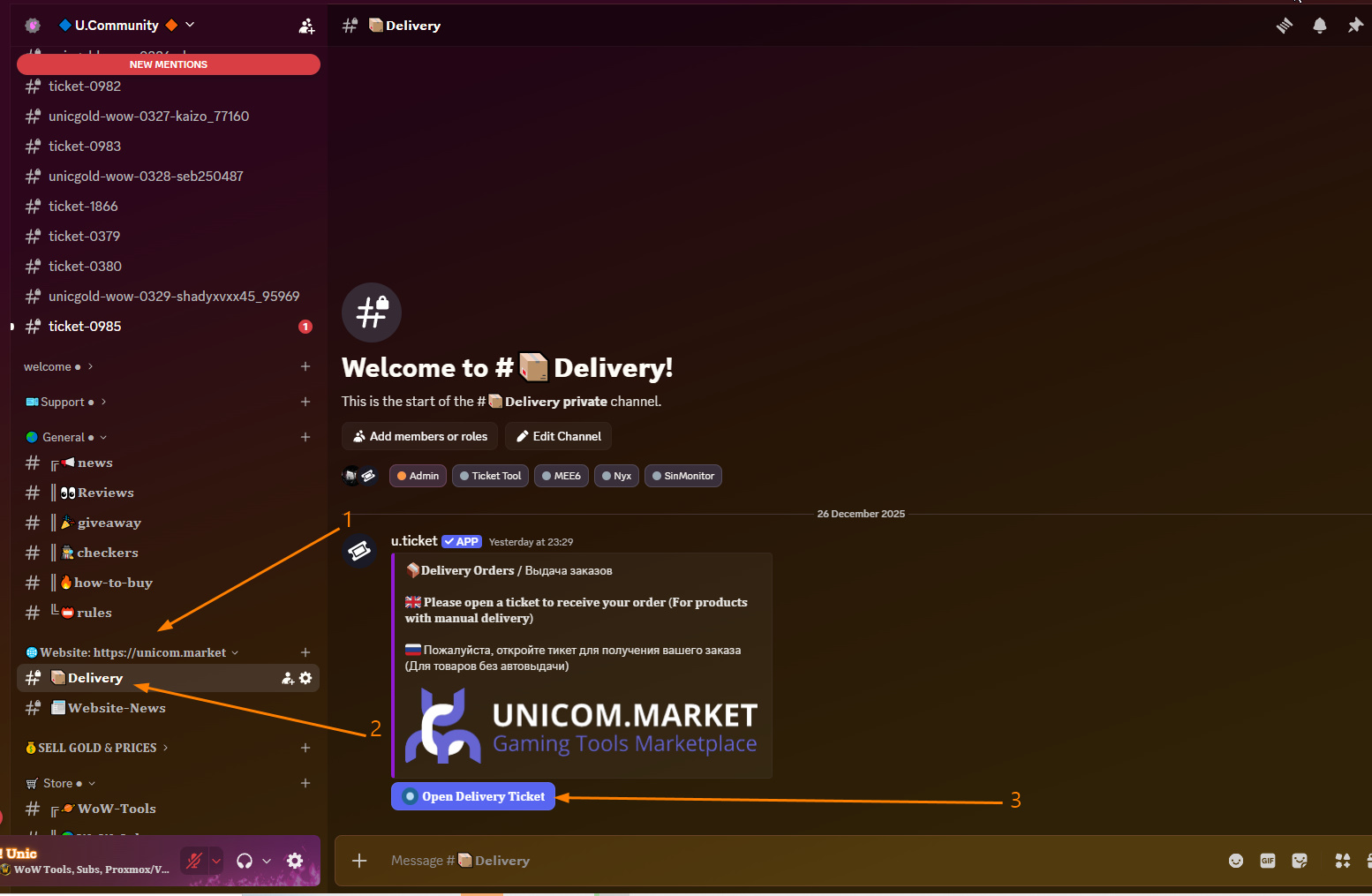
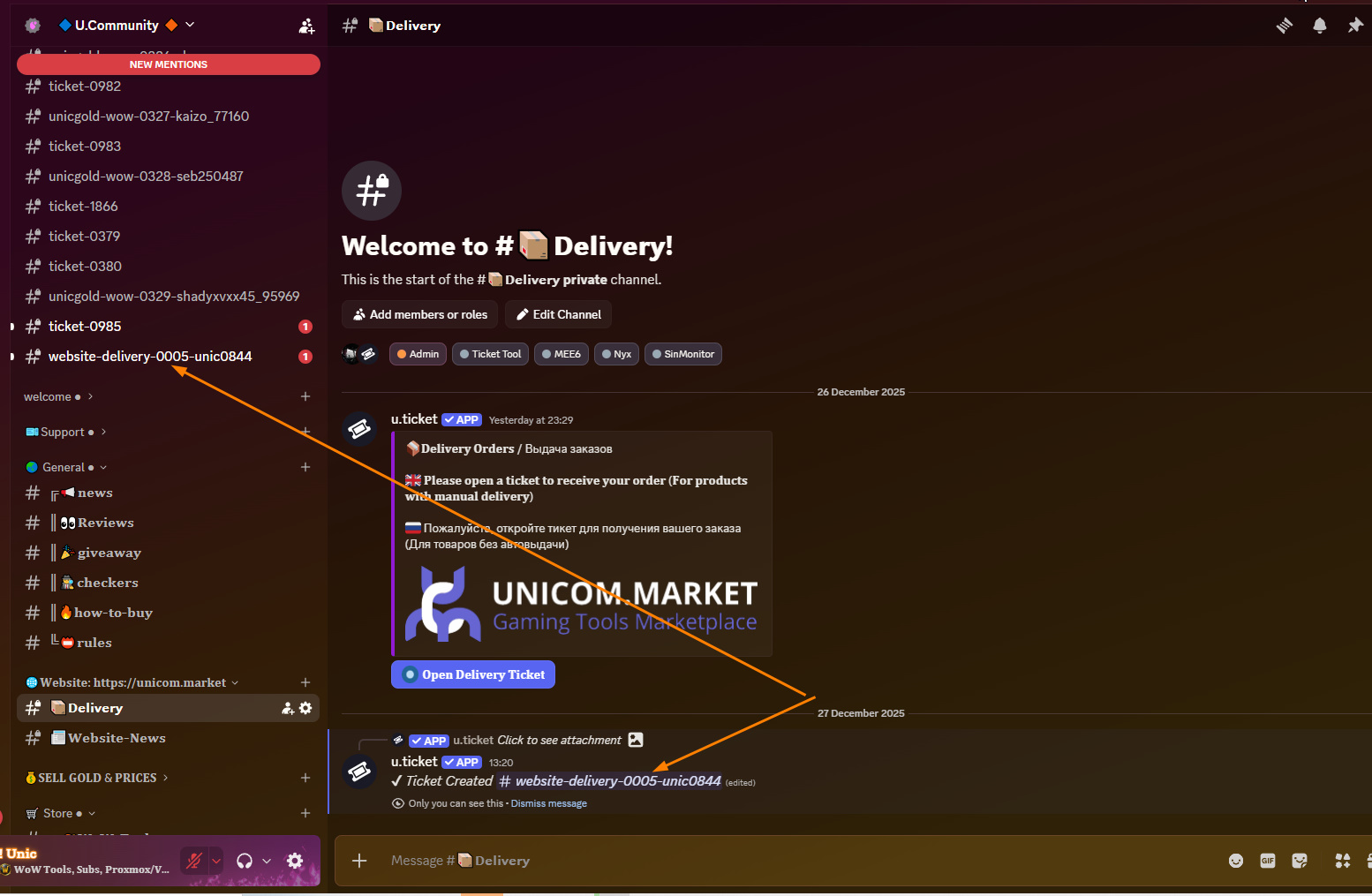
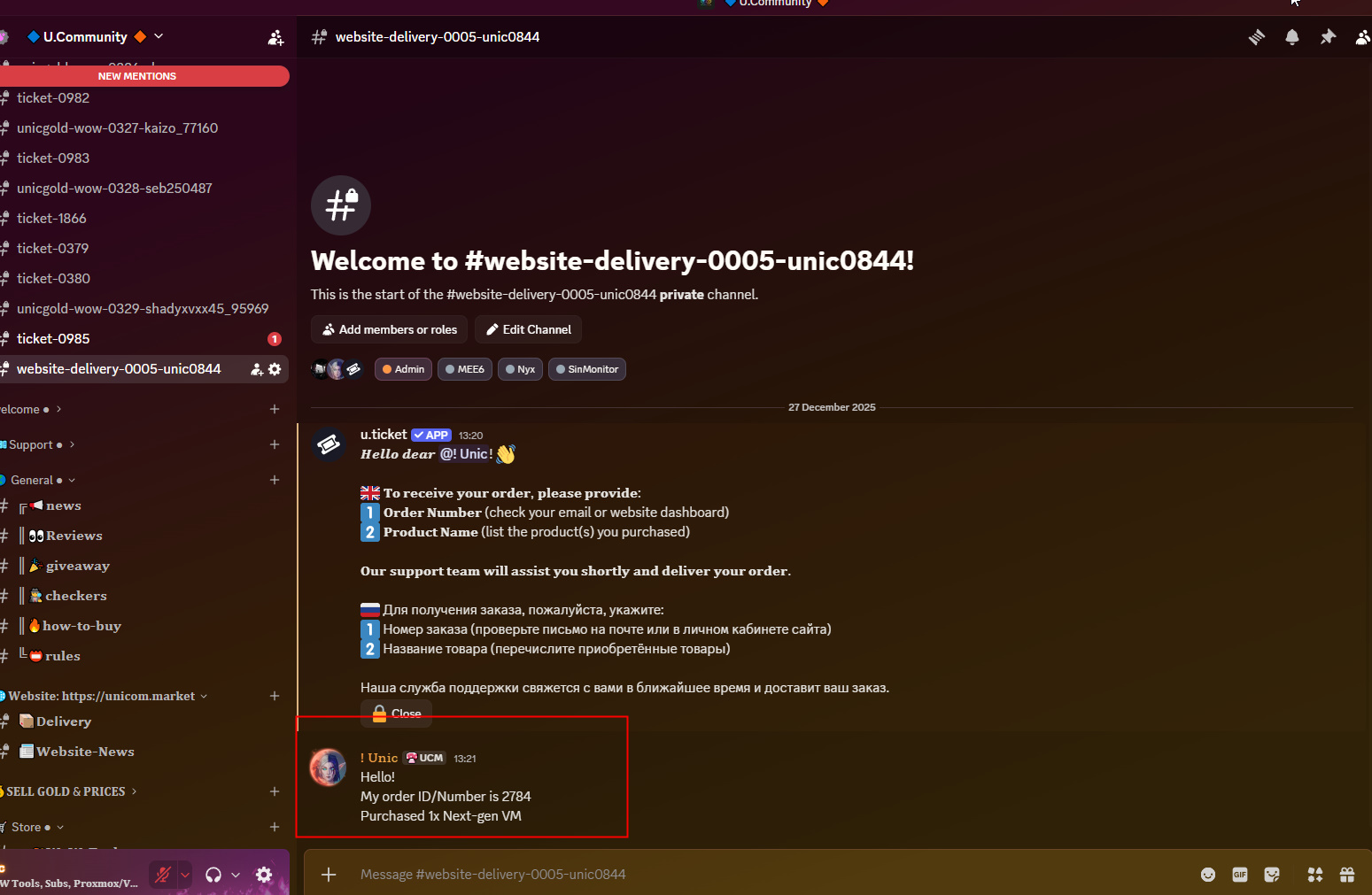
Please provide your Order ID and the products you purchased.
Your Order ID can be found in the confirmation email or in the Orders section on the website.
Quick Guide on How to Receive Your Order
Auto-Delivery
- After Purchase, simply check your email to get your Order.
You can also find all order details in your account under Orders – unicom
For community chat and any questions, feel free to join our Discord https://discord.gg/u-community
Manual Delivery
- To receive an order that requires manual delivery, please follow this simple guide.
Step 1: Join our discord channel https://discord.gg/u-community
Step 2: Follow the instructions in the screenshots.
Please provide your Order ID and the products you purchased.
Your Order ID can be found in the confirmation email or in the Orders section on the website.
- After Purchase, simply check your email to get your Order.
You can also find all order details in your account under Orders – unicom
For community chat and any questions, feel free to join our Discord https://discord.gg/u-community
- To receive an order that requires manual delivery, please follow this simple guide.
Step 1: Join our discord channel https://discord.gg/u-community
Step 2: Follow the instructions in the screenshots.
Please provide your Order ID and the products you purchased.
Your Order ID can be found in the confirmation email or in the Orders section on the website.
